
Working from anywhere sounds wonderfully simple. A laptop, a Wi-Fi signal, and a decent pair of headphones… that’s all you really need, right? But anyone who actually lives this lifestyle knows the truth: remote work runs on a quiet, carefully arranged ecosystem of digital tools that hold everything together behind the scenes.
These aren’t the loud, shiny platforms that get all the attention. They’re the practical, almost invisible apps you open a dozen times a day without thinking. They keep your calendar aligned across time zones, your documents synced from Bangkok to Boston, and your brain from feeling like an overflowing browser window. They’re the helpers that make your day feel steady, even when life around you is anything but.
For adults in their mid-30s to early 40s (the ones balancing career growth, with family logistics, side projects, financial goals, and a need for actual downtime) these tools aren’t optional. They’re what make a flexible, work-from-anywhere life possible. They help you stay organized. Stay connected. Stay focused. And yes, stay sane.
The Foundation: Apps That Keep Your Work Organized
Staying organized is the difference between remote work that flows and remote work that feels like digital whiplash. A solid foundation of practical tools helps you keep track of tasks, ideas, deadlines, and files, no matter where you’re opening your laptop. These apps are the quiet heroes that turn scattered thoughts and shifting priorities into a workday that actually feels manageable.
Task Management Tools That Keep Everything Straight
Remote work has a way of stretching your attention in every direction. A clear task manager brings it back into focus.
Todoist, Asana, and Things 3 are key players here. They offer simple, intuitive ways to capture every task – big projects, tiny reminders, recurring work, and those random thoughts that hit while you’re waiting for your coffee. Priority tags, due dates, and clean templates help you see what matters now, what will matter later, and what can wait.
For many mid-career professionals, these tools provide structure without adding pressure. They help you manage your workload in a way that feels realistic. And this is especially valuable when your job, family life, and personal goals all share the same calendar.
Digital Note Systems for a Clearer Mind
Ideas never arrive on schedule, and they certainly don’t wait until you’re sitting at your desk. That’s why tools like Notion, Joplin and Apple Notes are essential for remote life.
These apps act as your external brain. You can capture meeting notes, store reference materials, build databases, or jot down sparks of inspiration. Everything stays searchable and accessible across devices, which means you can pick up a line of thought whether you’re at home, on a plane, or killing time between errands.
Notion in particular has become a favorite for people who want a system that adapts to them, not the other way around. It’s flexible enough to handle project planning, journaling, budgeting, content pipelines - whatever your workflow needs.
Cloud Storage That Works Everywhere
Your files need to be where you are, even when “where you are” changes every week. That’s where Google Drive, Dropbox, iCloud, and OneDrive come in.
Reliable cloud storage keeps everything synced in real time, prevents version confusion, and ensures you never have to panic about leaving an important document on your desktop at home. For hybrid teams, shared folders make collaboration smoother and eliminate the back-and-forth of sending attachments.
More importantly, these tools create a sense of continuity in your day. Whether you switch between devices or work across multiple locations, your files travel with you… quietly, automatically, and without fuss.
Strong organization isn’t about color-coding your life or micromanaging every detail. It’s about having the right digital support so your mind can stay calm, your work stays clear, and your days feel just a little structured, wherever you choose to spend them.

Collaboration Without the Chaos: Tools That Make Teamwork Feel Natural
Remote teamwork can be incredibly efficient or incredibly frustrating, depending on the tools you rely on. The right apps make it feel like everyone is moving in the same direction, even when you’re working across cities, time zones, or kitchen tables. These are the platforms that cut through the noise and help teams stay aligned without resorting to endless meetings or frantic messages.
Real-Time Project Tracking That Keeps Everyone Aligned
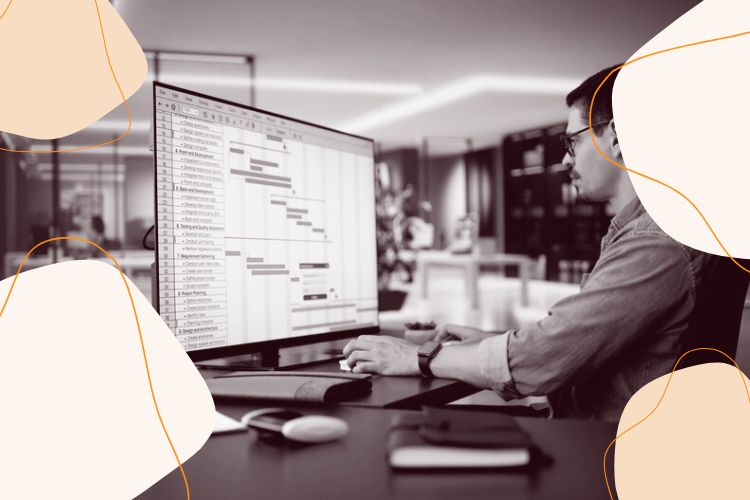
Shared visibility is the backbone of smooth remote collaboration. Tools like Trello, Monday.com and AirTable give teams a clear snapshot of who’s doing what, what’s in progress, and what’s falling behind.
Boards, timelines, and automations make it easier to coordinate moving parts without micromanaging anyone’s day. For distributed teams, these features eliminate guesswork, so you don’t have to chase updates because the updates are already there.
Airtable is especially powerful for mid-career professionals managing multiple workstreams. Its mix of spreadsheets and databases lets you build systems that match your team’s workflow, whether you’re tracking content, operations, partnerships, or client projects.
Document Sharing That Doesn’t Break Your Flow
Nothing slows down collaboration faster than version confusion or email attachments labeled “FINAL_v4_revised_FINAL.” Cloud-based editing tools solve this headache.
Google Docs, Microsoft 365, and Dropbox Paper make real-time co-working a breeze. Multiple people can edit, comment, suggest changes, and track updates without losing the original thread. Gone are the days of overwriting someone’s work or wondering which file is the latest.
For hybrid teams, these tools bridge the gap between asynchronous and synchronous work. Someone can start a draft in the morning, another can comment in the afternoon, and a third can finalize it the next day - all without needing a meeting.
Visual Collaboration Tools for When Words Aren’t Enough
Sometimes you need to sketch, map, diagram, or brainstorm in a way that text simply can’t capture. That’s where tools like Miro, and Figma shine.
These platforms provide virtual whiteboards where teams can build ideas together — creating mind maps, wireframes, customer journeys, mood boards, or project plans. It’s the closest digital equivalent to gathering around a wall of sticky notes.
Figma stands out for design teams or anyone working on visual assets. Its live collaboration features let you co-create in real time, making it far easier to iterate quickly and stay aligned on the final vision.
Remote collaboration doesn’t have to be chaotic or confusing. With the right tools, teamwork becomes smoother, communication becomes clearer, and projects move forward without dragging energy out of your day. The goal isn’t to replace human connection, it’s to support it with systems that help everyone stay on track, whether you’re working from your living room or a hotel lobby halfway across the world.
Communication That Works from Anywhere
Communication is the pulse of remote work - but too much of it can drain your focus, and too little can leave you disconnected. The right tools help you stay in the loop without feeling overwhelmed. They make it easier to communicate clearly, set healthy boundaries, and create a workday that feels balanced instead of chaotic.
Messaging Tools That Don’t Add Stress
Instant messaging has its ups and downs. When done well, it’s a lifeline; when done poorly, it’s a distraction trap.
Slack, Microsoft Teams, and Google Chat offer real-time communication without demanding your constant attention. Features like status settings, channel organization, do-not-disturb hours, and keyword notifications let you stay available without being glued to your screen.
For people in their 30s and 40s juggling multiple responsibilities, this flexibility matters. You can stay connected to your team while still holding space for deep work, school pickups, or a midday appointment.

Meeting Platforms That Actually Support Focus
Remote work used to mean endless Zoom fatigue, but meeting software has gotten smarter — and more respectful of people’s time.
Zoom, Google Meet, and Microsoft Teams now offer noise cancellation, automatic transcription, breakout rooms, and collaboration features that make meetings more efficient. These tools help teams work through decisions quickly, without wasting an hour on something that should’ve taken twenty minutes.
Many platforms also integrate with calendars and productivity apps, so scheduling and sharing follow-ups becomes seamless.
Communication should make your day easier, not harder. With the right tools in place, staying connected becomes a calm, intentional part of your workflow — supporting both your productivity and your overall wellbeing, no matter where you’re working from today.
Focus, Flow & Mental Clarity: Apps That Protect Your Attention
Remote work gives you freedom, but it also invites distractions from every direction. Between notifications, open tabs, house chores, and the hum of everyday life, mental clarity can slip away fast. These focus-forward tools help you carve out space for deep work, protect your attention, and build a work rhythm that actually feels sustainable.
Distraction Blockers for Real Productivity
Sometimes the biggest threat to focus isn’t your workload - it’s the internet itself. Tools like Freedom and Cold Turkey block distracting sites and apps so you can get into a deeper, more intentional flow.
These blockers are especially helpful when you’re working in environments that aren’t traditionally “office-like,” such as cafés, co-living spaces, or your kitchen counter. With a single click, you remove the temptation to “just check” one more thing, giving your brain the boundaries it needs.
Focus Timers That Coach You Through Deep Work
The Pomodoro method still reigns for a reason: short bursts of focus, followed by real breaks, work with the brain, not against it.
Apps like Forest guide you through timed intervals that help you stay on track without burning out. Forest even gamifies the process by growing virtual trees each time you complete a session, turning productivity into something you actually want to maintain.
For remote workers balancing complex tasks with unpredictable schedules, these timers help rebuild momentum and reduce the mental load of starting.
Mindfulness and Reset Tools for a Saner Workday
Focus isn’t only about blocking distractions - it’s also about managing your internal state. Apps such as Headspace, Calm, and Insight Timer offer quick meditation sessions, breathing exercises and grounding practices you can slot between meetings.
These tools help regulate stress, lower mental fatigue, and create a healthier emotional baseline. Even a two-minute breathing reset can shift you from scattered to centered.
The Practical Stuff: Apps That Handle Life Admin While You Work
Remote work doesn’t happen in a vacuum. It blends into everyday life, the bills you need to manage, the appointments you need to schedule, and the travel plans you piece together when “home” is sometimes a moving target. These practical tools don’t just support your workday; they make the rest of your life run smoother so you have the bandwidth to focus.
Finance and Budgeting Tools That Keep You on Track
When you’re working from anywhere, your expenses can shift quickly, new cafés, coworking passes, SIM cards, flights, and the occasional impulse purchase when you’re feeling adventurous.
Apps like YNAB (You Need A Budget), PocketGuard, and Monarch help you stay financially grounded. They track spending, categorize expenses, and give you a clear view of your cash flow.

For mid-career professionals navigating mortgages, childcare, investments, or savings goals, these tools offer calm and clarity. They remove the guesswork and help you stay aligned with long-term plans, even when your weekly routine changes.
Scheduling and Calendar Helpers That Bring Calm
A scattered calendar is one of the biggest stressors for remote workers. Tools like Fantastical, and Calendly keep your days predictable, organized, and easy to manage.
Fantastical excels at pulling multiple calendars into one clean view, while Calendly eliminates the back-and-forth of finding meeting times. These apps protect your mental space by reducing friction — you always know what’s coming and where you need to be.
These practical apps may not get the same recognition as your project tools or communication platforms, but they’re essential. They lighten your life admin load so you can focus on what actually matters.
Security & Stability: Tools That Keep Your Digital Life Safe
A work-from-anywhere lifestyle brings freedom — but also new risks. When you’re logging into coffee-shop Wi-Fi, switching between devices, or sharing files across borders, security needs to be part of your everyday setup. These tools keep your digital world protected, stable, and stress-free.
Password Managers That Simplify Your Online World
Strong passwords are essential, but remembering them all is nearly impossible. Password managers like 1Password, Proton Pass, and Dashlane take that weight off your mind.
They generate secure passwords, store them safely, and auto-fill them across devices. For remote professionals juggling dozens of logins (work platforms, banking apps, cloud tools, travel services etc.) these managers reduce the risk of breaches and save a surprising amount of time.
VPNs and Privacy Tools That Travel With You
Public Wi-Fi is convenient, but it’s also one of the easiest gateways for hackers. A reliable VPN such as NordVPN, Surfshark, or ExpressVPN encrypts your connection, protecting sensitive work data wherever you are.
VPNs also improve privacy by masking your location, which is especially useful when you’re traveling or using networks outside your control.
Backup Systems You’ll Be Glad You Made
The moment you lose a file, you wish you had a backup. Tools like Backblaze, iCloud Backup, and Google One quietly protect your documents, devices, and memories behind the scenes.
They run automatically, syncing your work and personal files so you’re never one hardware failure away from disaster. For remote workers who depend entirely on their digital tools, this safety net is non-negotiable.
Security may not be exciting, but it’s what makes long-term remote life sustainable. With a strong digital foundation, you can work with confidence wherever your day takes you.
How These Tools Shape a Sustainable Remote Life
A work-from-anywhere lifestyle isn’t built on spontaneity alone, it’s built on systems that quietly support you day after day. The tools in this roundup don’t just make remote work possible; they make it smoother, calmer, and far more sustainable for people balancing careers, families, and personal goals.

Creating Your Personalized Digital Ecosystem
The real magic happens when these apps work together. Maybe your setup combines Notion for planning, Google Drive for storage, Slack for communication, and Freedom for focus. Or maybe you lean on Asana, Dropbox, and a solid VPN.
There’s no “perfect” combination, just the one that reflects your priorities and makes your life easier.
The key is choosing tools that reduce friction, not add to it. Every app should have a purpose: helping you think clearly, communicate confidently, stay organized, or move freely from place to place.
When you build an intentional digital ecosystem, your workflow becomes more predictable. You spend less time troubleshooting and more time actually doing the work that matters.
Remote work will keep evolving, and your toolkit should evolve with it. New AI-powered features, smarter integrations, and more flexible collaboration tools are already reshaping how people manage their days. Staying open to fresh upgrades ensures your setup remains efficient and aligned with your lifestyle.
More importantly, the right tools give you confidence. Confidence that your work is backed up. That your communication is clear. That your schedule is under control. And that you can take your career anywhere without losing your footing.
With a steady digital foundation, remote life stops feeling like a juggling act and starts feeling like a rhythm. One you can trust, manage, and even enjoy.